
Introducing "Tags" to Categorize Conversations & Customers 🏷️

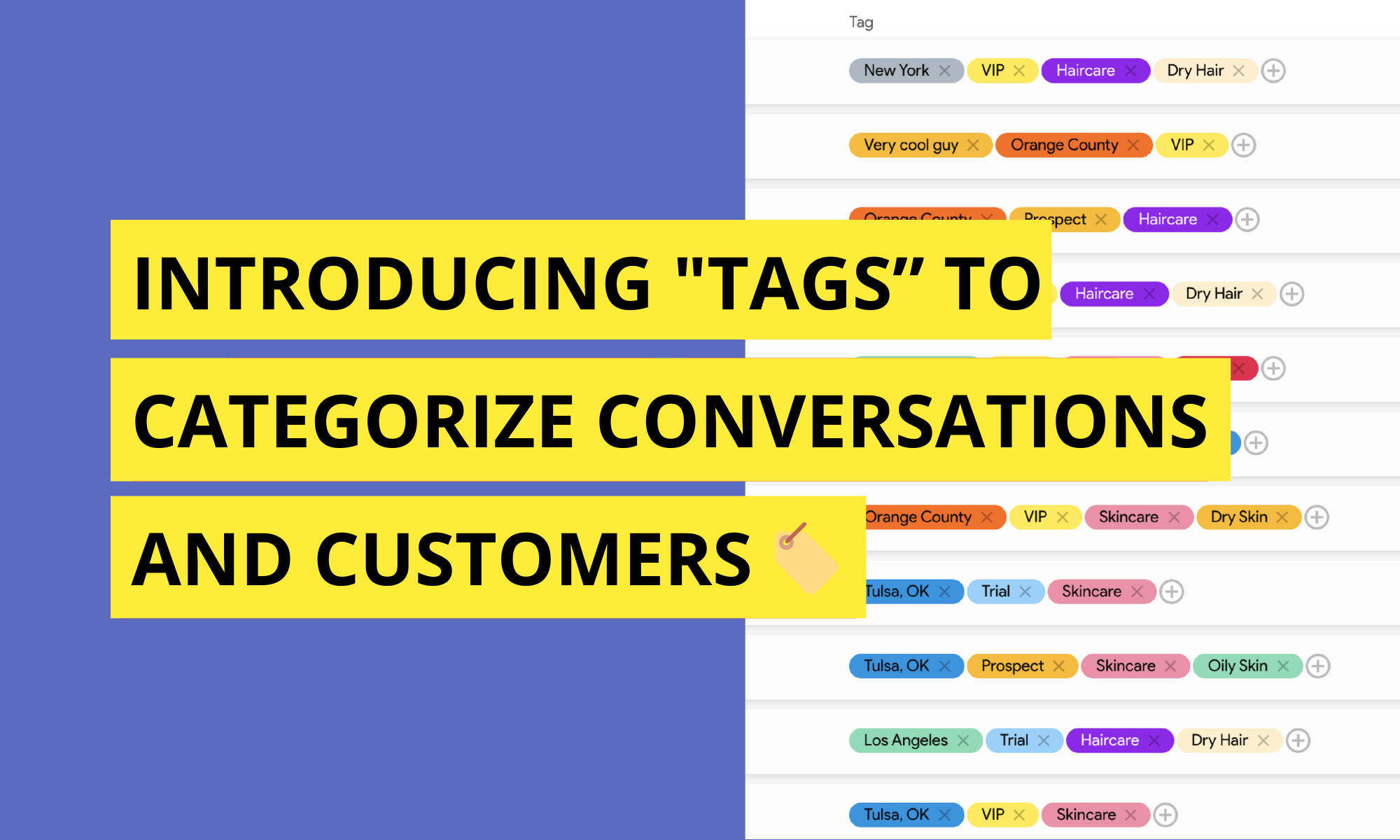
Tags: Your New Team Superpower
As communication grows, organization becomes just as important as speed.
When teams handle hundreds or even thousands of conversations, context isn’t only in the messages themselves. It is also in how conversations and customers are categorized. That’s where Tags come in.
With Tags for Conversations and Customers, AskNeo gives teams a flexible way to organize, filter, and act on communication at scale.
Tagging Conversations and Customers
Tags allow teams to label conversations and customers with meaningful identifiers.
A tag can represent almost anything: a status, a topic, a priority, a stage, a segment, or an internal classification. Tags can be applied to individual conversations or directly to customers, creating structure without forcing rigid workflows.
The goal isn’t to limit how teams work. It’s to give them a shared language to organize communication.
Unlimited Possibilities, One Simple System
There’s no fixed list of tags.
Teams can create their own tags, name them however they want, and assign custom colors to make them instantly recognizable. This keeps tagging intuitive and visually clear, even as usage grows.
Some teams use tags to track progress. Others use them to group customers. Others use them to flag urgency, ownership, or intent. The system adapts to the team, not the other way around.
Tags for Teams
In sales, tags might reflect stages or intent: new lead, qualified, follow-up, demo scheduled, closed. This makes it easy to see where conversations stand at a glance and to focus on what matters most.
In customer success or support, tags can represent topics or status: onboarding, billing question, technical issue, resolved, escalation. Teams can quickly identify patterns, recurring issues, or conversations that need attention.
In operations or service teams, tags may indicate context such as location, service type, priority level, or internal workflow steps. Conversations stay organized even as volume increases.
In healthcare teams, tags can be used to reflect non-clinical workflow context such as intake, scheduling, follow-up needed, billing question, or insurance-related. This helps teams coordinate communication while keeping conversations organized and easy to triage.
In retail or ecommerce teams, tags often reflect customer value or intent, such as first-time buyer, returning customer, VIP, order issue, refund request, or delivery update. Teams can quickly identify high-priority customers or group conversations by order-related needs.
The same tagging system works across departments, while still allowing each team to use it in their own way.
Tags as a Tool for Action, Not Just Organization
Tags aren’t only for classification. They are also a way to act.
By tagging conversations or customers consistently, teams can filter views, focus on specific segments, and understand what’s happening across the inbox without reading every message.
Tags turn the shared inbox into a structured workspace, not just a stream of messages.
Broadcast SMS by Tag
One of the most powerful uses of tags is communication at scale.
AskNeo allows teams to broadcast SMS messages to customers based on tags. Instead of selecting contacts one by one, teams can send targeted messages to a specific tagged group.
Sales teams can follow up with a particular segment. Customer success teams can notify users about updates. Operations teams can communicate changes or reminders to the right audience, all using the tags they already rely on.
The result is targeted communication that stays relevant and intentional.
Designed to Stay Flexible as Teams Grow
As teams evolve, so do their needs.
Tags are designed to scale naturally, from a handful of simple labels to a rich system of categorization that supports complex workflows. New tags can be created at any time, colors can be adjusted, and usage can adapt without reworking existing conversations.
There’s no lock-in to a single methodology. Just a shared structure that grows with the team.
Bringing Structure to the Shared Inbox
Tags for Conversations and Customers live directly inside the AskNeo shared inbox.
They sit alongside calls, messages, assignments, and forwarding, giving teams one place to organize, understand, and act on communication.
By combining flexible tagging with real-time communication, AskNeo helps teams stay organized and empowers them with more speed, clarity, and control.
Want to experience the best SMS & Voice shared inbox, get yours today here!